UGREEN 200W 8-Port Desktop Charger Review
If you're anything like me, the back of your desk is an absolute state. I'm talking about a "spaghetti junction" of extension leads, individual power bricks fighting for space, and the constant game of musical chairs whenever you need to plug in a new device.
Between my filming gear (two Google Pixel phones, wireless lav mics), my daily drivers (iPad, Chromebook, Work Laptop), and the gaming essentials (Steam Deck, Nintendo Switch), I simply ran out of sockets. I picked up this UGREEN 200W 8-Port Desktop Charging Station with my own money to see if I could finally centralise everything into one neat hub.
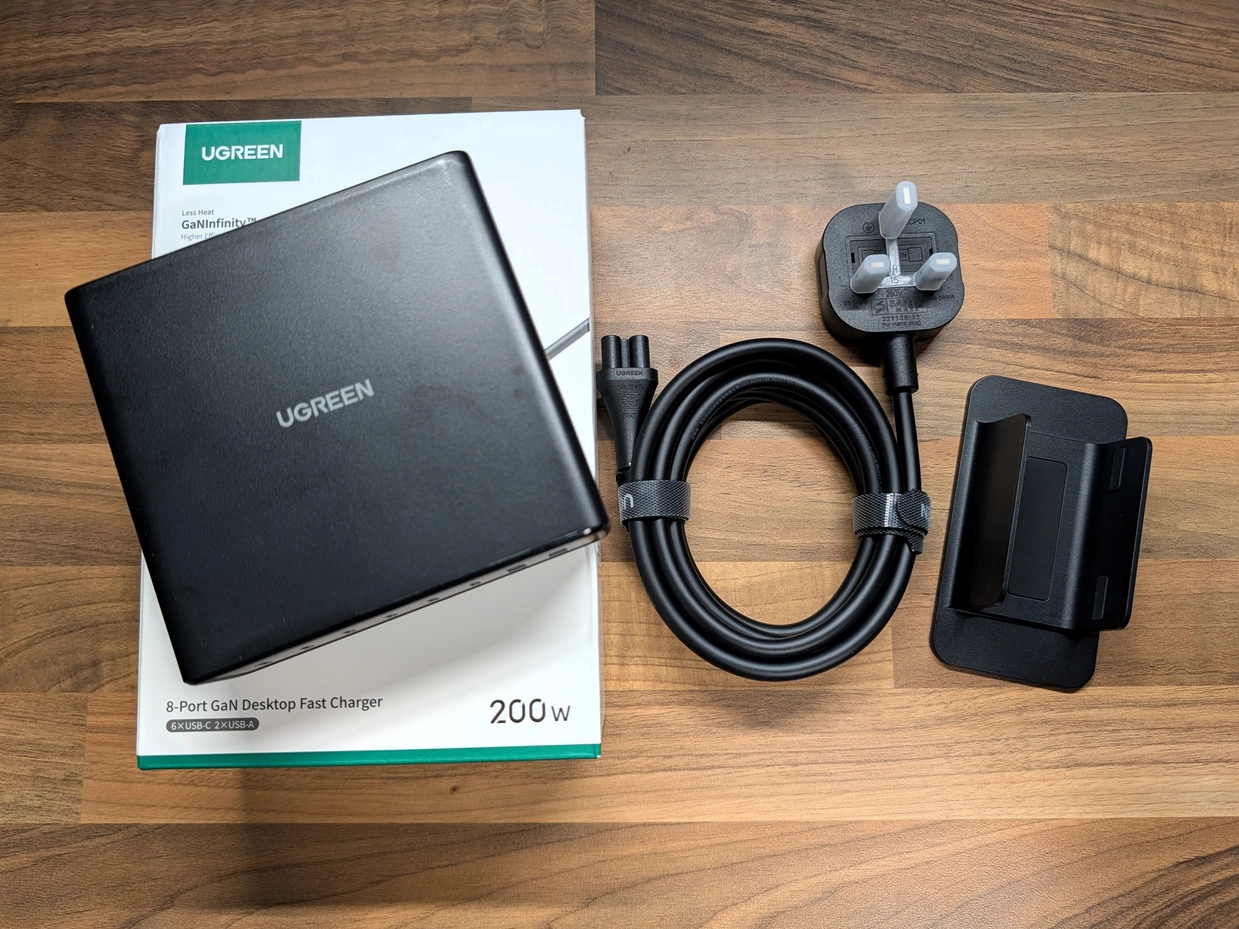
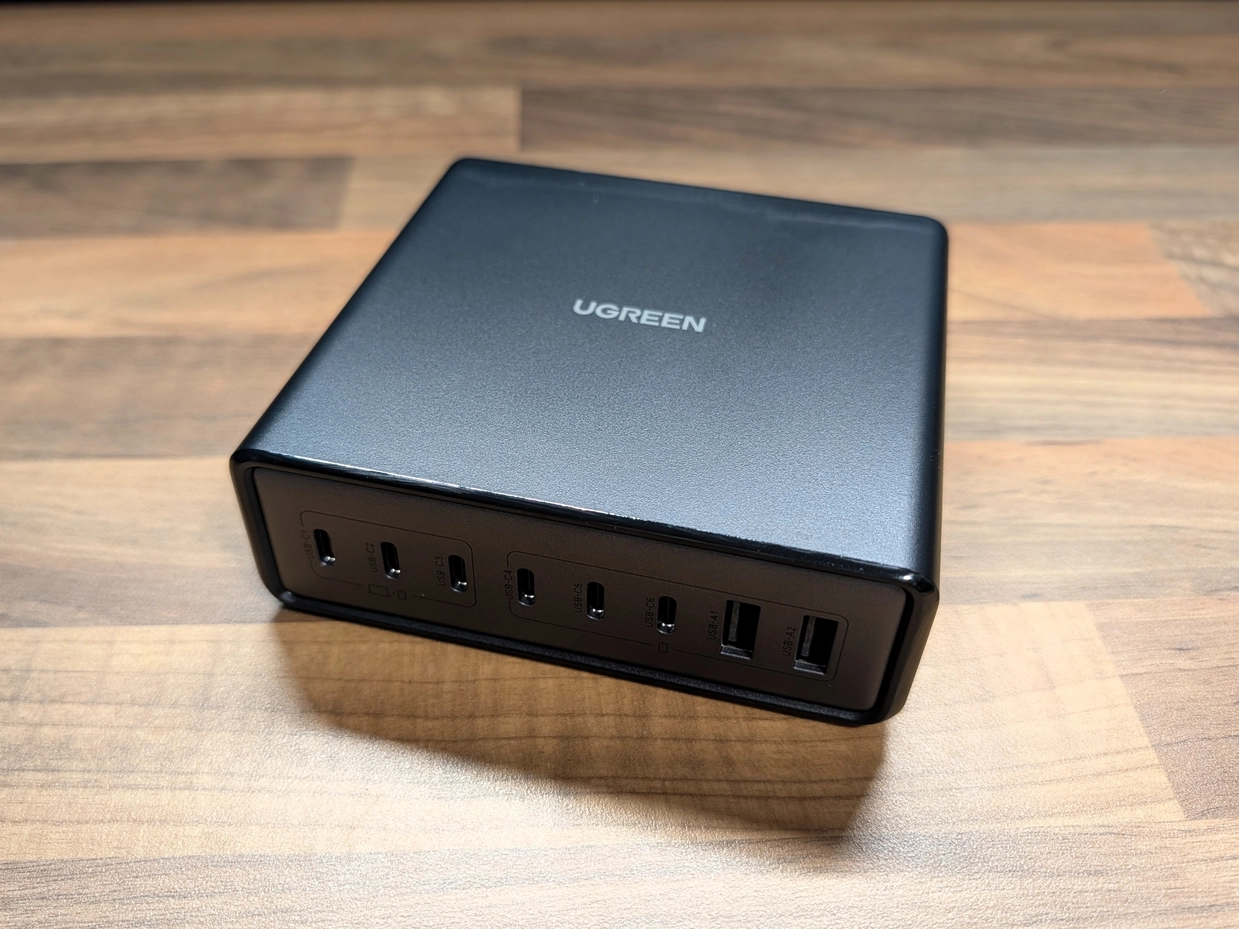
- Port Density: 6 USB-C and 2 USB-A ports eliminate the need for power strips.
- 200W Headroom: Charges laptops and consoles simultaneously without throttling.
- Build Quality: Heavy and dense; it stays put on the desk.
- Versatility: Can be used vertically with the stand or laid flat.
- The Weight: Great for desks, but a bit too heavy for travelling light.
- Poor Labelling: Port icons are incredibly faint and hard to see in dim light.
Transparency Note: As an Amazon Associate I earn from qualifying purchases. This means if you click a link and buy something, I may receive a small commission at no extra cost to you. I bought this unit myself for this review.
Design and Build Quality
The first thing you notice when you unbox this—and I mean the very first thing—is the weight. It is surprisingly dense. In a world of cheap, plasticky tech, this feels properly premium.
For a portable travel charger, that weight might be a downside (it's certainly not something you'd throw in a jacket pocket). However, for a desktop setup, it is actually a massive benefit. We've all had those lightweight hubs that get dragged off the table by the weight of a stiff braided HDMI or USB-C cable. This UGREEN unit stays quite well planted.
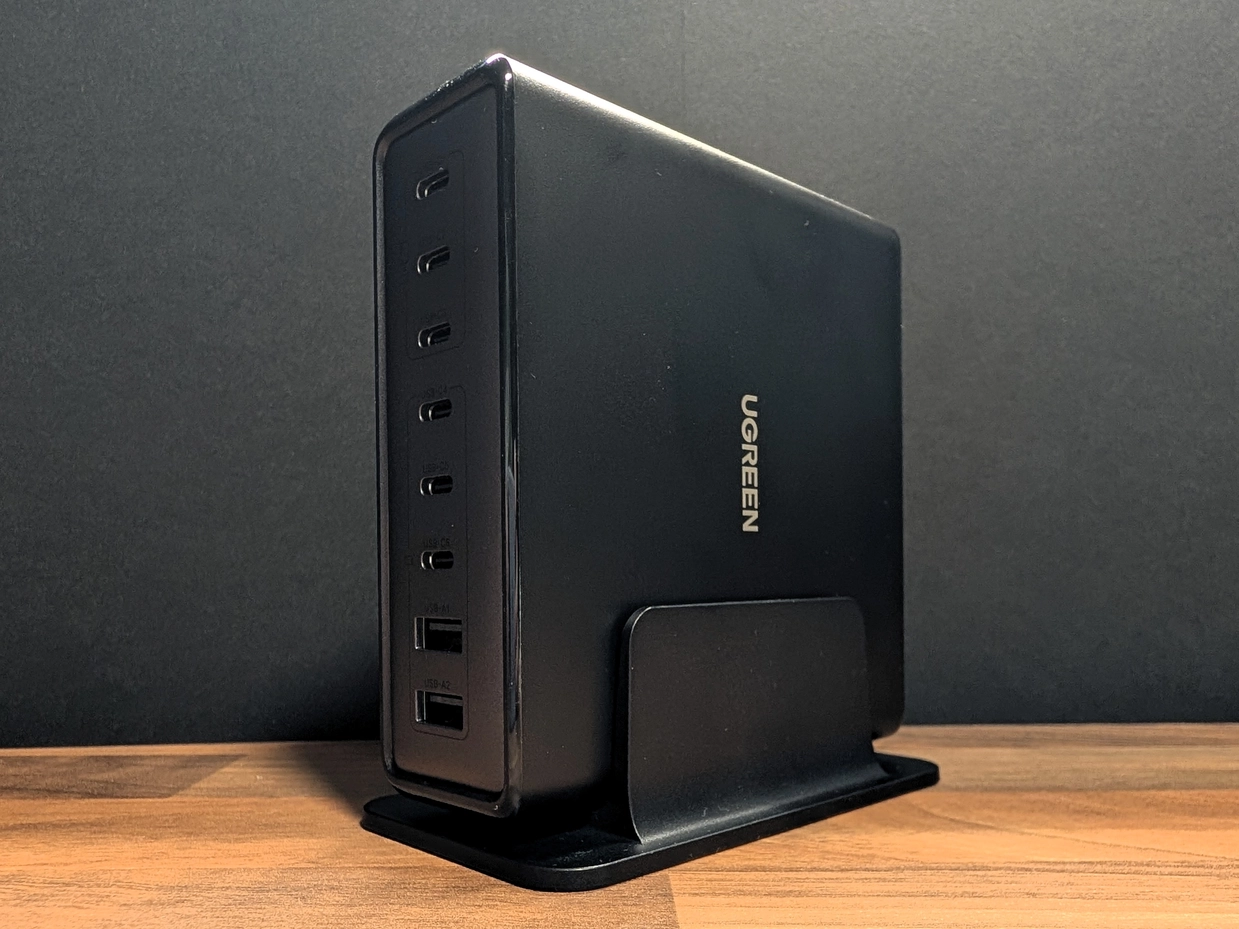
It comes with a detachable stand if you want to run it vertically to save desk real estate, but it also has rubber feet on the side if you prefer to lay it flat under a monitor riser. It looks professional, sleek, and doesn't scream "gamer" with unnecessary RGB lighting, which I appreciate.
Real World Testing: The Power Hungry Test
Specs on paper are one thing, but I wanted to see how it handled a real-world "stress test" using my daily gear. The headline feature here is the 200W total output, which is shared across the 8 ports using GaN (Gallium Nitride) technology to keep the heat down.
I plugged in my Steam Deck and my Dell Work Laptop simultaneously. Using a passthrough wattage detector, I watched the numbers:
- Steam Deck: Pulled a steady 40W (charging while playing).
- Dell Laptop: Pulled around 50W.
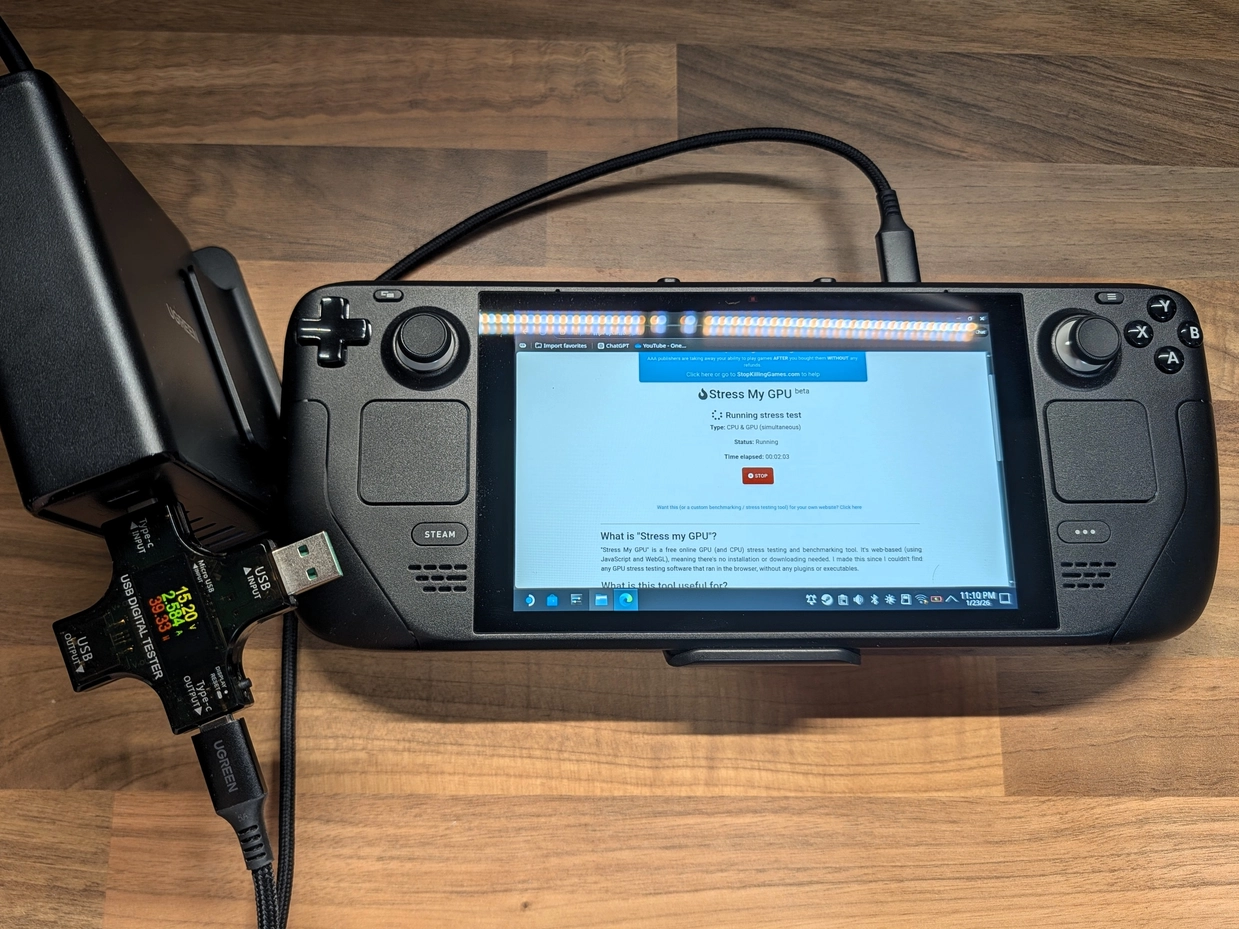
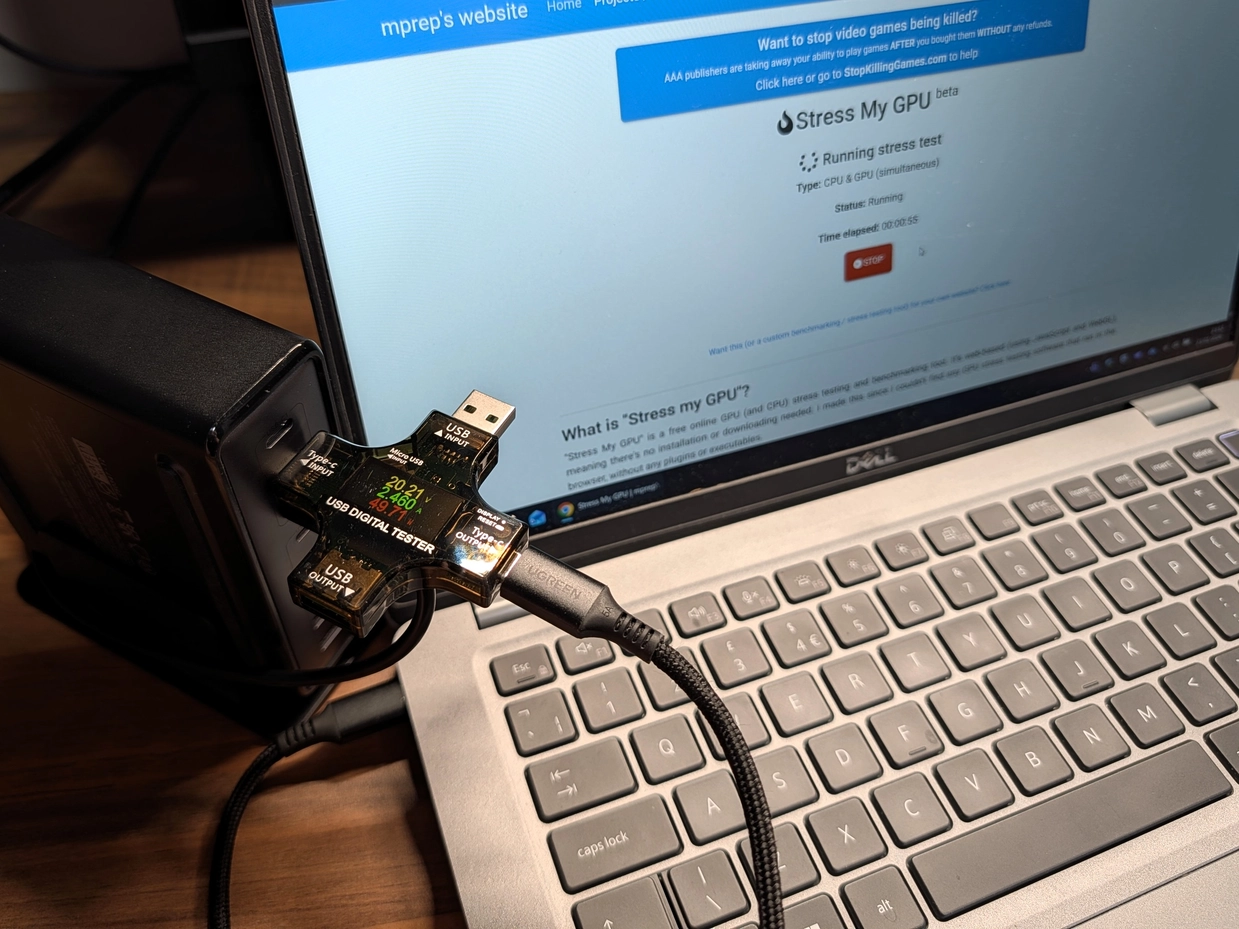
The charger didn't even flinch. Both devices charged at full speed, and thanks to the adaptive charging logic, the unit stayed cool to the touch. This is exactly what you want from a desktop hub—the confidence that you can plug in a high-demand device without it stealing all the juice from your other gadgets.
To take things further, I plugged in a power bank, Insta360 X4 & Flow 2 Pro, an iPhone 13, my lav mics, and my Steam Deck simultaneously. The UGREEN handled this without any issue (though my messy desk did return!)
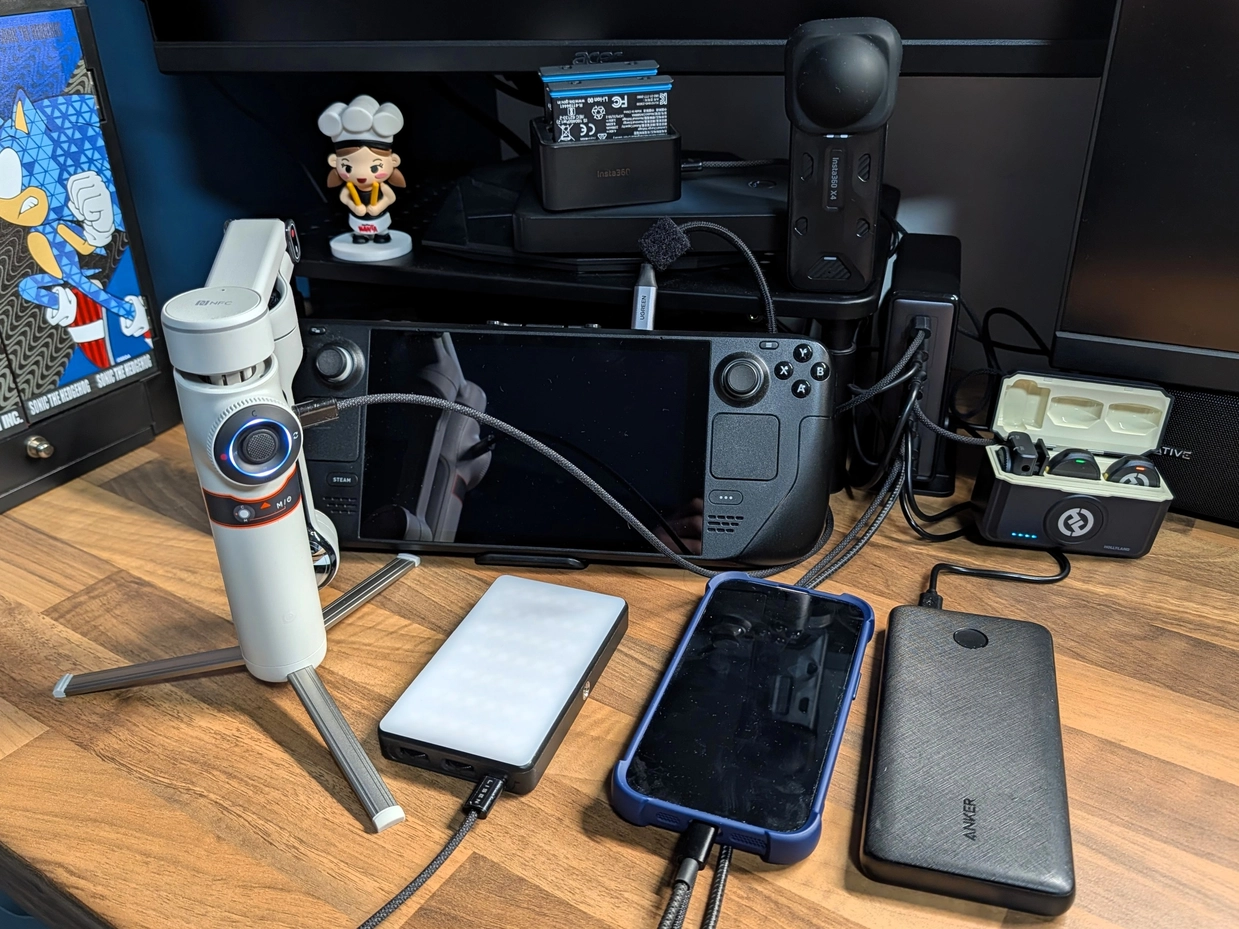
Having 6 USB-C ports is a game-changer. I can charge the iPad, the Chromebook, both phones, and the mics all at once via USB-C, whilst still having two USB-A ports spare for legacy cables or charging the Nintendo Switch Pro controller.
The One Design Flaw
However, it's not all perfect. There is one design choice that drives me absolutely mad. The labelling on the front of the unit is bafflingly faint.
The ports are rated for different speeds—the top ports are for your high-wattage laptops, while the lower ones are for phones. UGREEN has etched small icons (a laptop, a tablet, a phone) next to the ports to tell you which is which. The problem? They are dark grey on a black background.
In a brightly lit office, it's fine. But in my studio, or a dimly lit "man cave," they are practically invisible. I genuinely have to get my phone out and use the torch just to see where I'm supposed to plug my laptop in. A simple bit of white paint or high-contrast labelling would have solved this instantly. I assume UGREEN wanted to go for the discreet look, but when this compromises on practicality, I'm not a fan.
Verdict
Despite the labelling annoyance, the UGREEN 200W 8-Port Charger has earned a permanent spot on my desk. It has successfully replaced three separate power bricks and cleared up the cable clutter significantly.
If you are a content creator managing cameras and mics, or just a tech enthusiast with a laptop, a Steam Deck, and a phone to keep juiced up, this is a fantastic "daily driver" solution. It's powerful, it's safe, and it stops the endless hunt for a spare plug socket.
Just maybe keep a torch handy for the first few days until you memorise which port is which.
Found this guide helpful?
Support the channel to help me create more tools and guides!