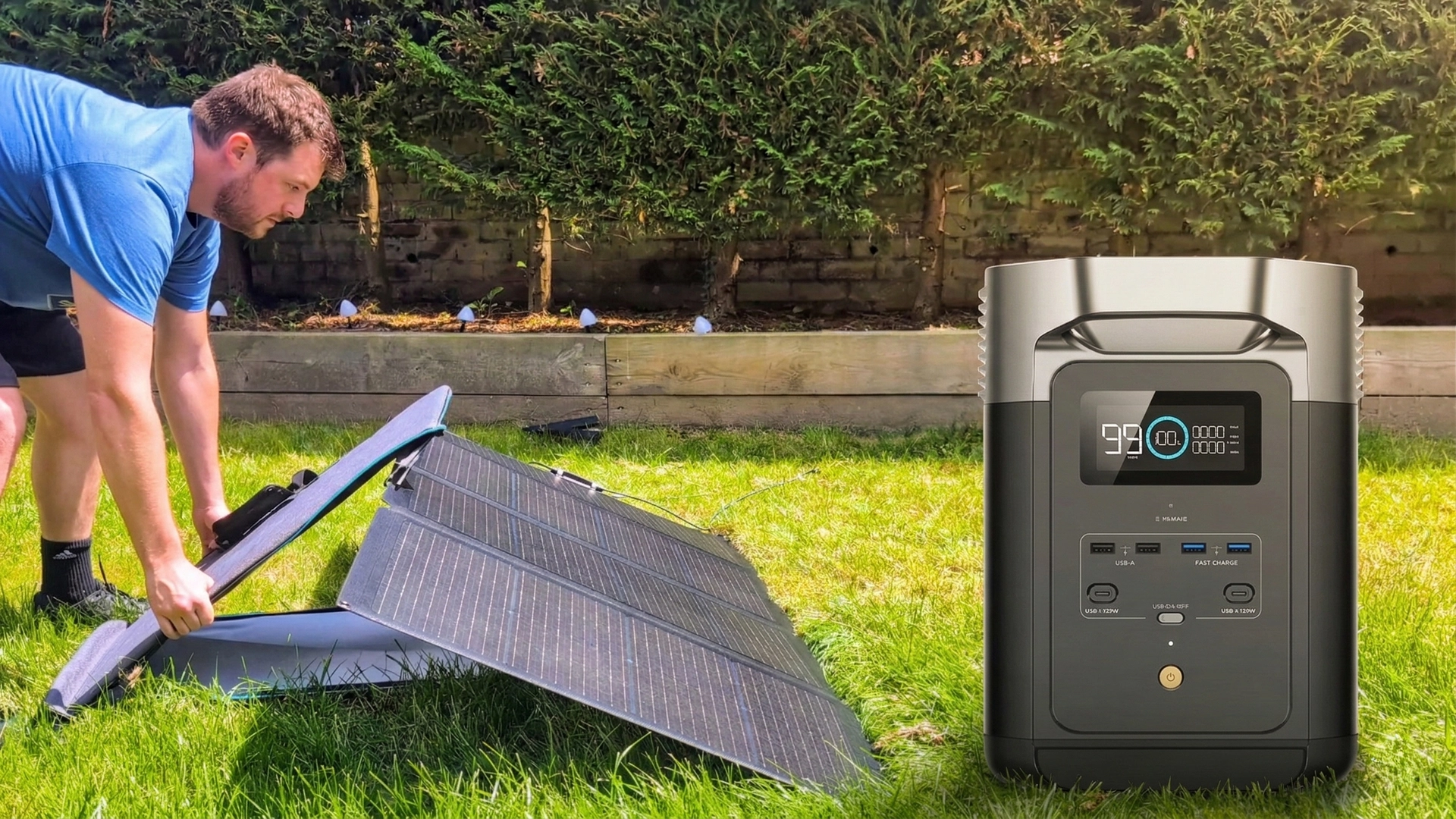
This Sabrent 252W Charger is a BEAST
You know you've officially reached "adult" status when you get genuinely excited about a new charger. But the Sabrent 252W isn't just a power brick; it's an 8-port monster with a built-in screen that satisfies every nerdy stat-tracking urge I have.
📌 Key Takeaways
- Massive Headroom: 252W total output means you can charge your laptop, Steam Deck, and cameras all at once.
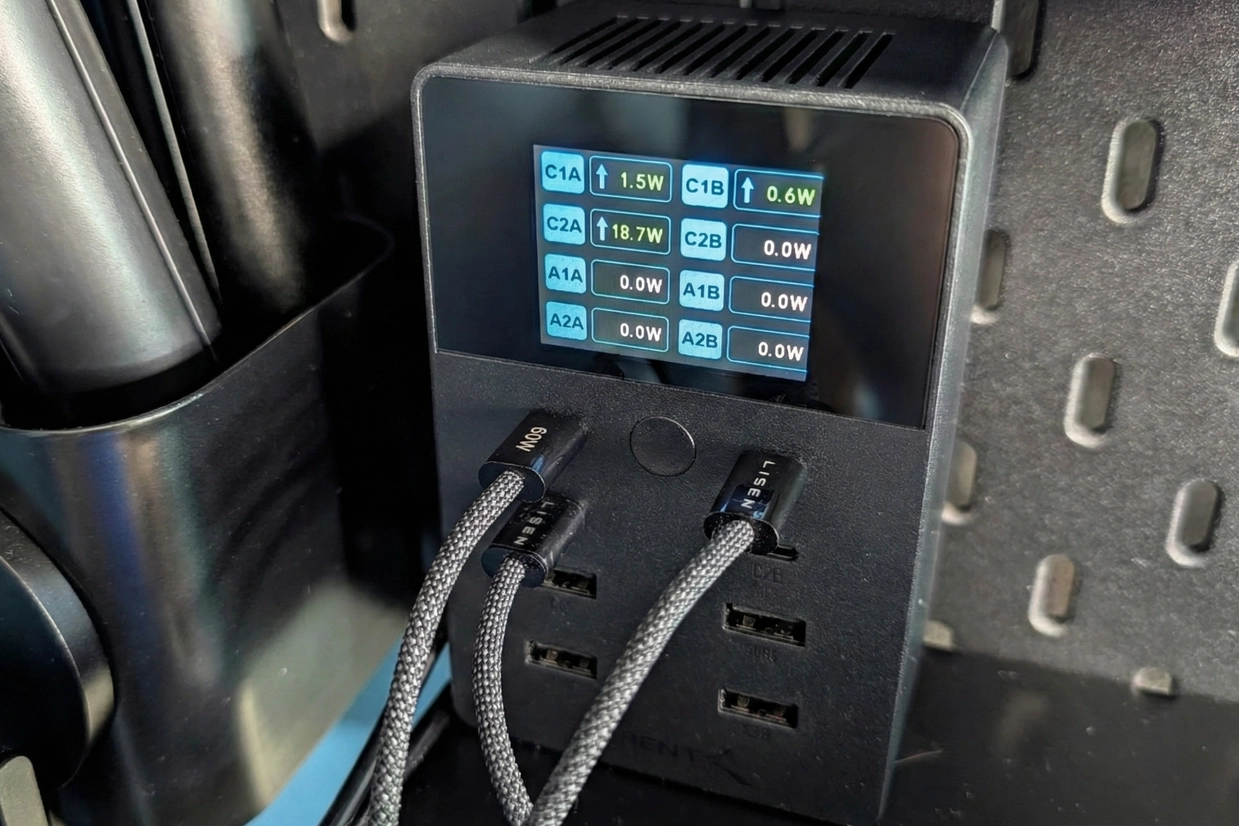
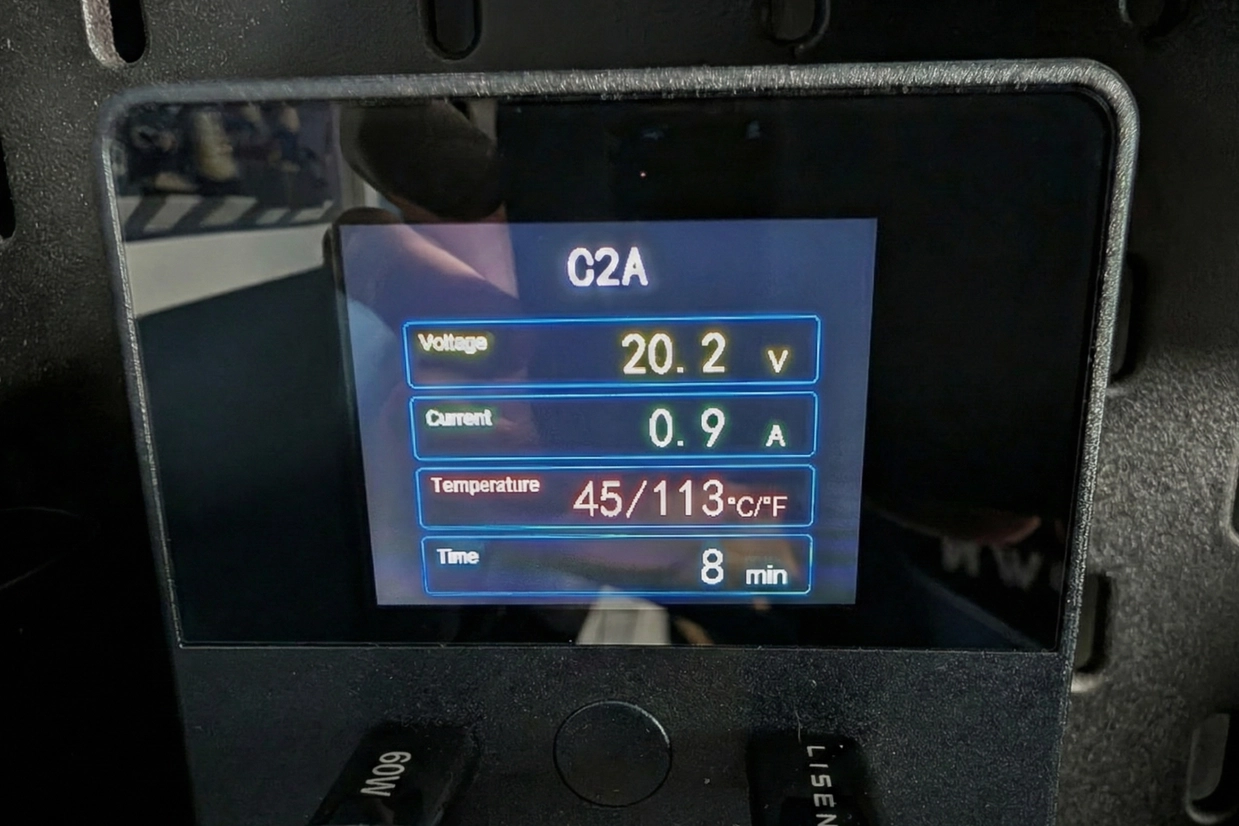
- Stat Tracking: The built-in screen shows real-time wattage, voltage, temperature, and charging duration for every port.
- 8-Port Density: Features 4x USB-C and 4x USB-A ports to clean up your workspace.
- Premium Build: It's hefty, solid, and includes a wall-mount bracket for permanent setups.
- Power for Days: Truly a "one-stop" charging hub for high-demand gear.
- Detailed Display: Knowing the exact draw of each device is incredibly useful.
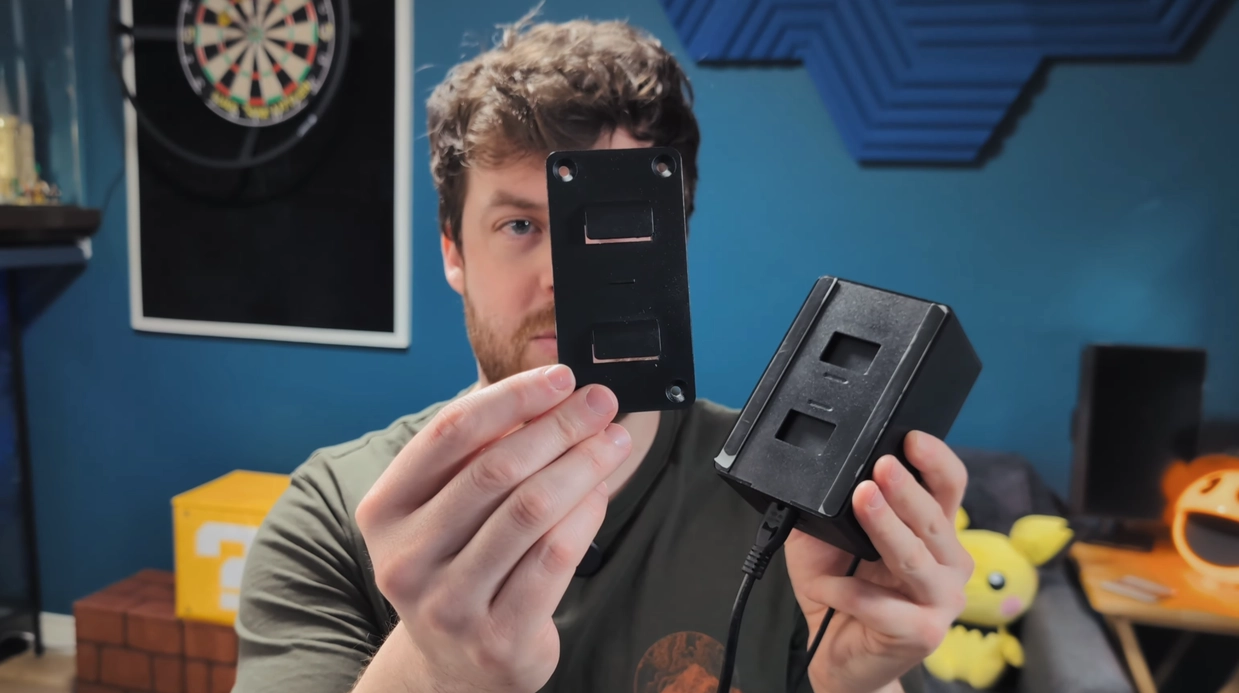
- Mounting Options: Includes a dedicated wall mount and screws in the box.
- Solid Thermals: Features a top-mounted vent and feels reliable under load.
- Cable Placement: The power cord placement is frustratingly awkward.
- Display Orientation: The screen doesn't rotate, which limits how you can position it.
- Price: It is an investment compared to standard chargers.
Transparency Note: As an Amazon Associate I earn from qualifying purchases. This helps support my one-man show!
Design & Port Layout
This unit is hefty and heavy, which I actually prefer for desktop gear as it stays put on the desk. It features four USB-A and four USB-C ports, providing a total output of 252W. This is enough to handle my Steam Deck, laptops, and all my recording equipment without breaking a sweat.
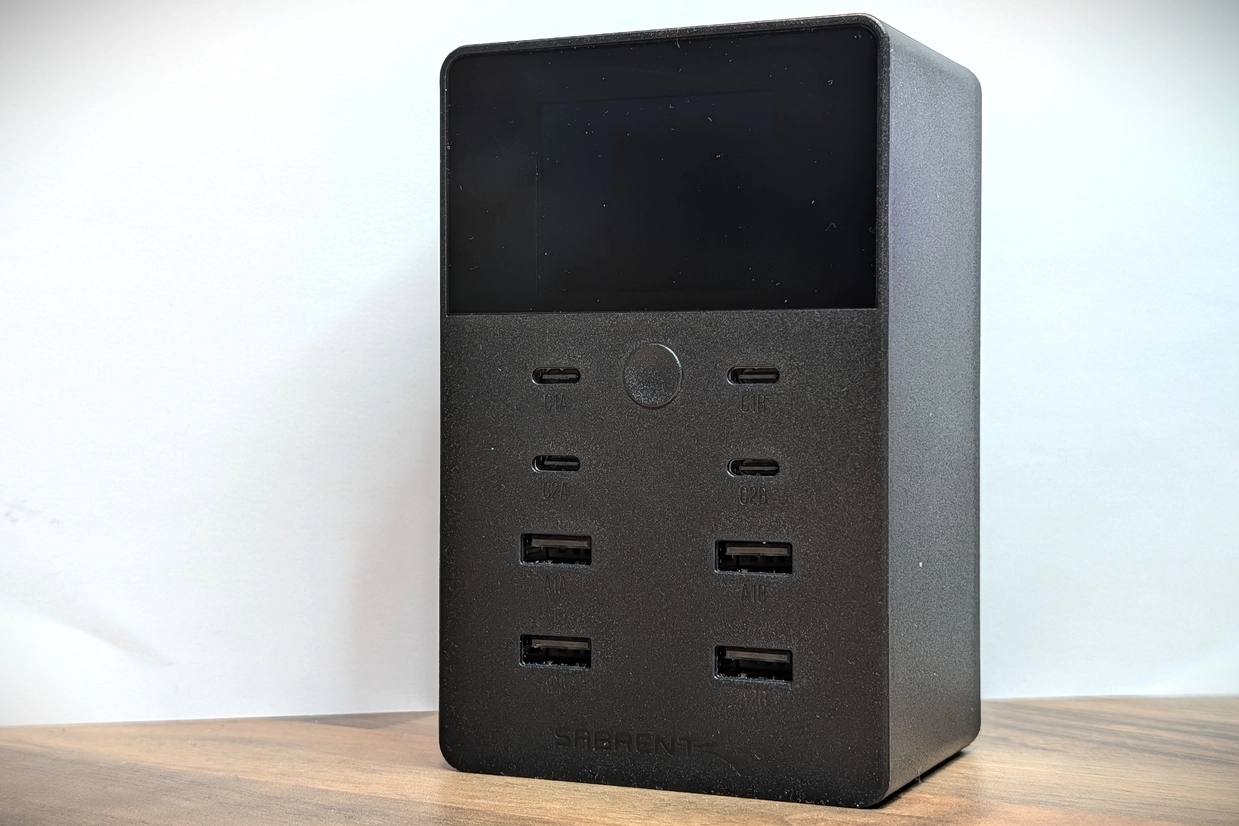
The "Stats for Nerds" Screen
The real highlight here is the screen. By holding down the main button, you can toggle between a simple wattage view and a much more detailed breakdown. It shows internal temperature, current, voltage, and even a timer for how long a device has been charging. For a tech enthusiast, having this data visible without needing a separate USB-C power meter is fantastic.
Real World Testing & Usage Experience
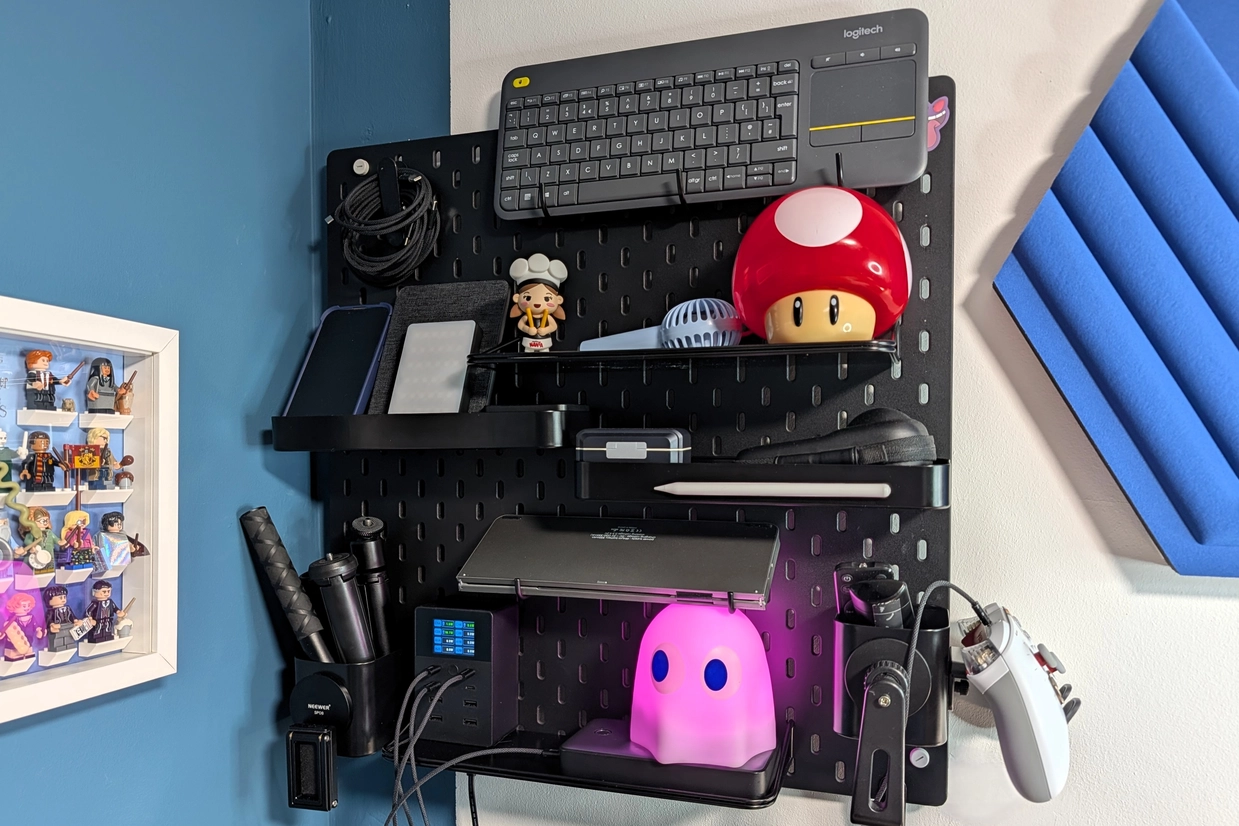
I set this up on my gear shelf to manage all the equipment I use for my videos. The build quality gives me a lot of confidence; it feels solid, features rubber feet for stability, and includes wall-mounting hardware if you want a cleaner look.
The "Almost Perfect" Design Flaw
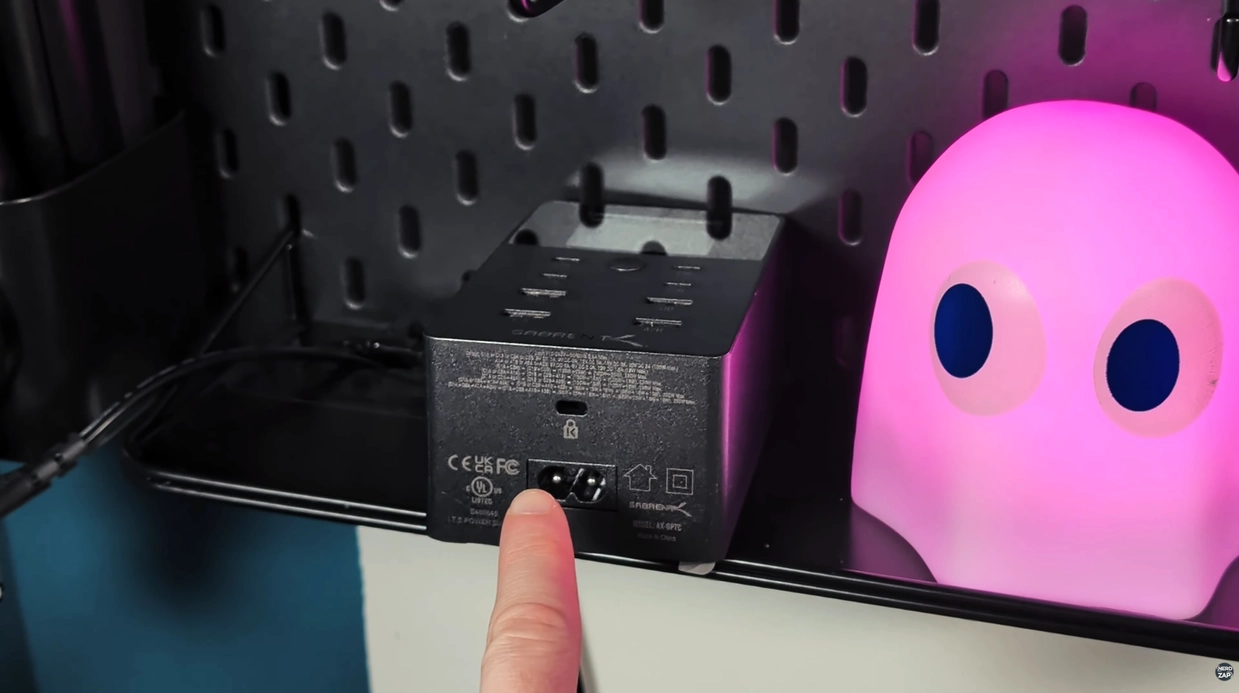
However, there is one significant design choice that keeps this from being a 5-star product. The power port is located in a position that makes it very difficult to use on a shelf or desk if you still want to see the screen.
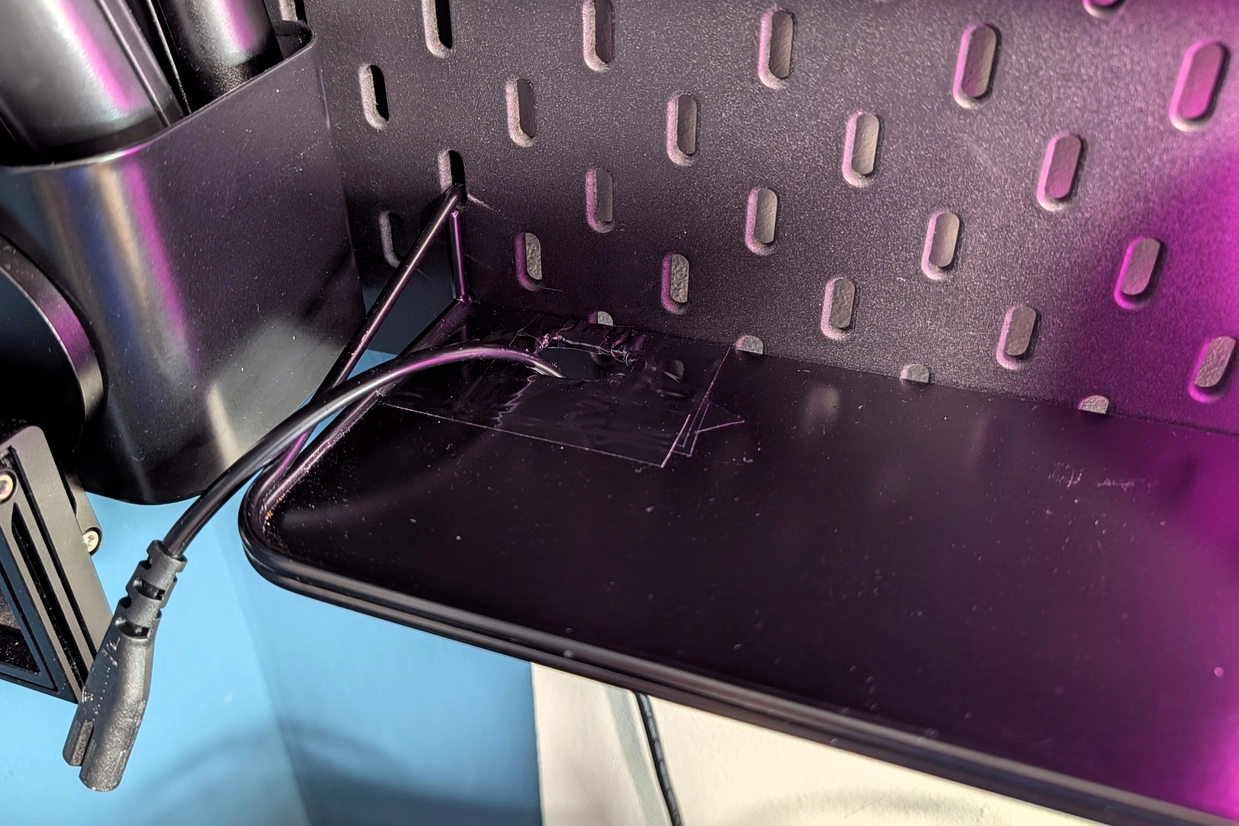
If you lay it flat on a desk, the power cord would be facing directly towards you. If you flip it around, the screen is upside down—and it doesn't rotate. I eventually had to cut a hole in my metal shelf just to make the cable fit while keeping the numbers visible. It’s clear this was designed primarily to be wall-mounted, where the cable would naturally lead downwards.
Verdict
The Sabrent 252W Charger is an absolute beast. It’s powerful, safe, and provides the kind of data I love to see. While the cable placement is a nuisance for desk users, the utility of having one hub for everything makes it worth the trade-off. Just be prepared to get creative with your cable management if you want those big numbers facing you! ✅
Found this guide helpful?
Support the channel to help me create more tools and guides!